Team and sharing
Share a patient with the colleagues who care for them
Set up one account for the practice or department and invite your colleagues. Share each patient's workspace, or a single document, as viewer or editor.

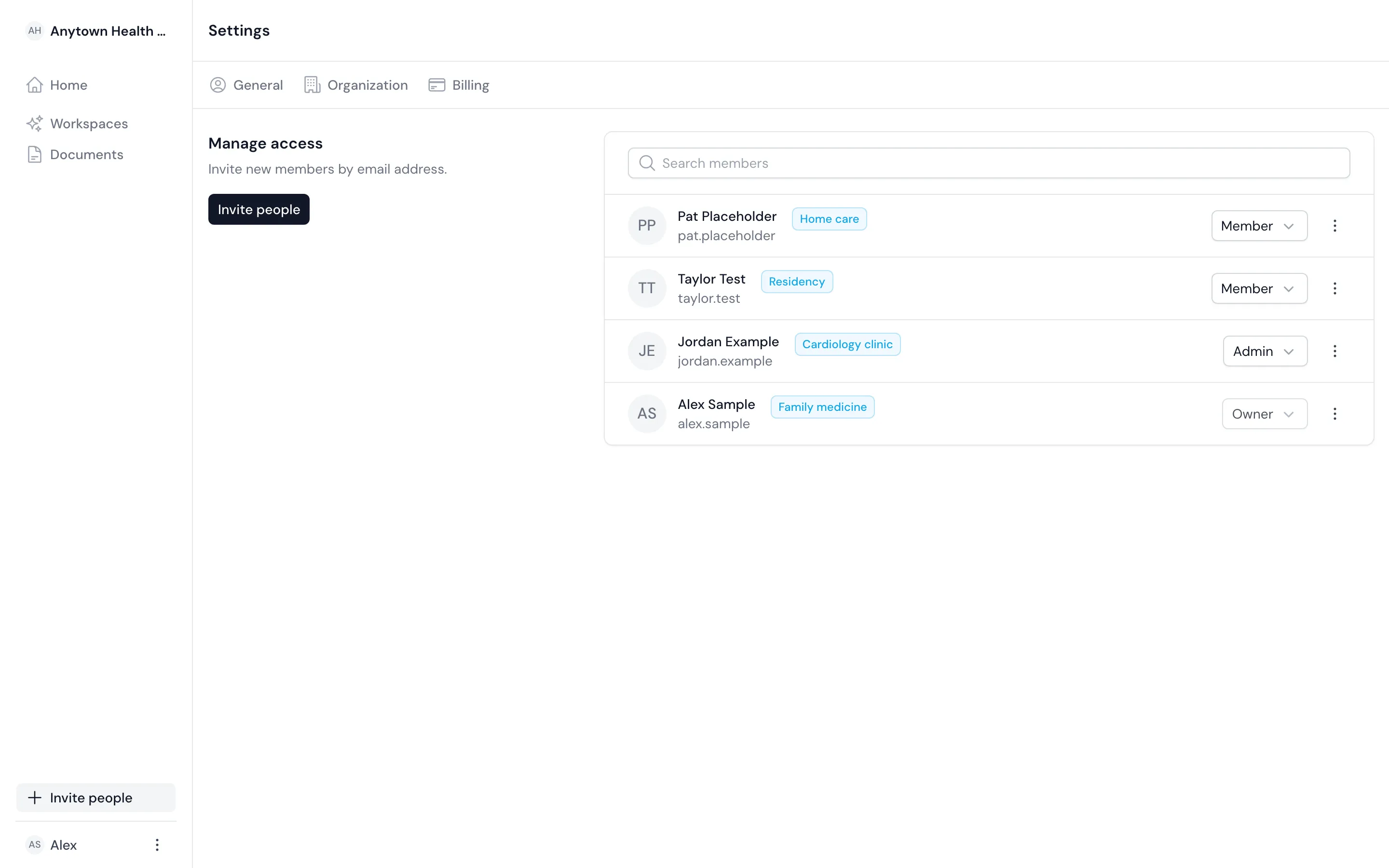
Give each person the access their work needs
Use roles to set what a person can do in the account, and sharing to set which patients they can open.
Owners and admins
Invite colleagues, set their roles and manage the account.
Members
Create workspaces of their own and open the ones shared with them.
Viewers and editors
Share a workspace or one document so a colleague can read it or work on it with you.

Built in
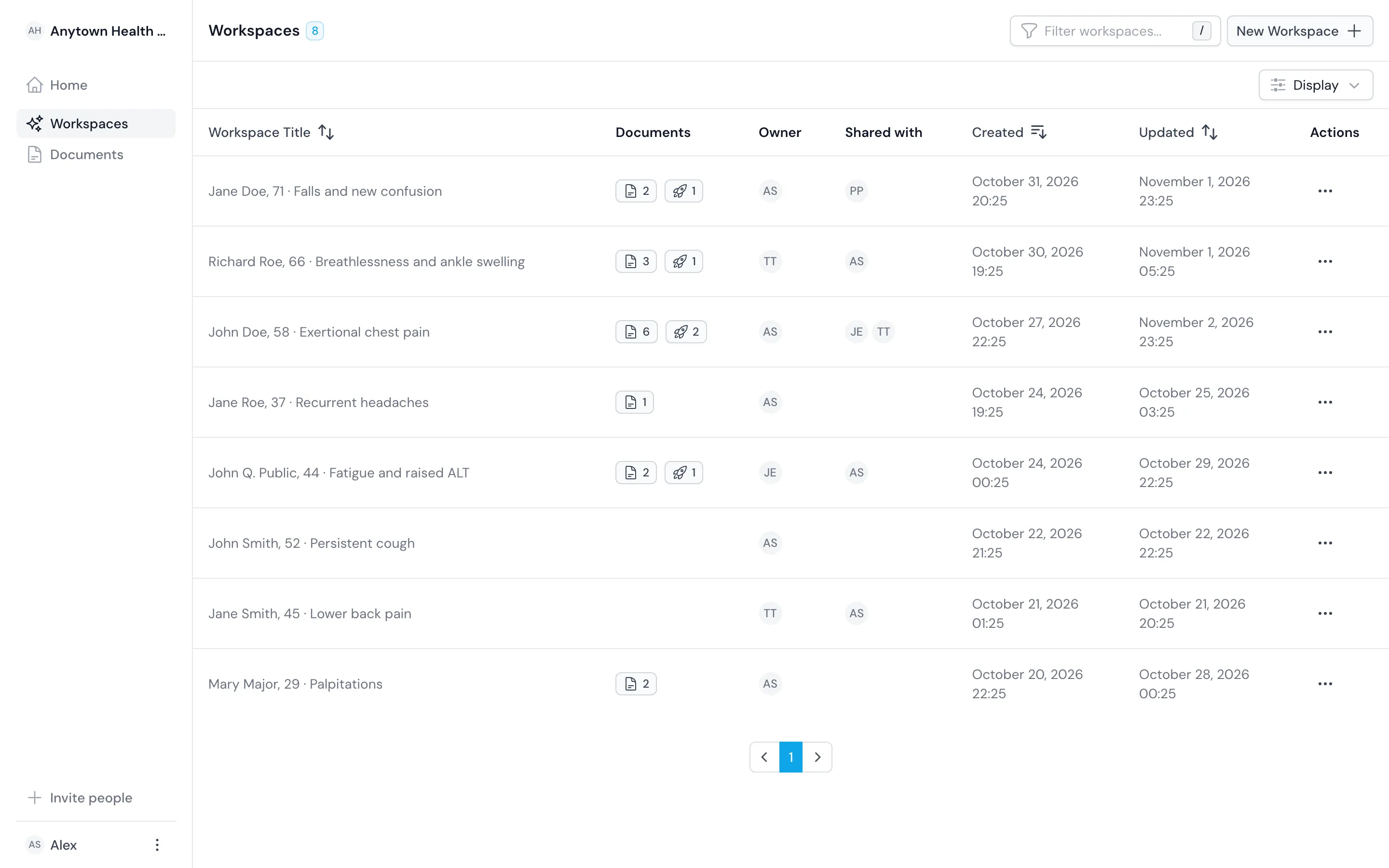
Control access patient by patient
Share per workspace or per document, and we check that sharing on every request.
We check access on every request
We check every request against the workspace's sharing on the server, so a hidden button is never the only guard.
Sign in once
Organizations can sign in through SAML single sign-on. Everyone else uses an email link or a password.
Share one document
Share one letter with a colleague for review without opening the whole workspace to them.
Outcomes
What you gain when the team works in one account
You hand over with the sources
Share the workspace with the next doctor instead of forwarding files.
You review in the document
A senior colleague with editor access corrects the draft where it is, not in an email thread.
You set access by patient
Remove a colleague from a workspace when they stop caring for that patient.
Comparison
Share one workspace instead of forwarding files
| Topic | Before | With the register |
|---|---|---|
| Sharing a case | Forwarding attachments by email | Sharing the workspace as viewer or editor |
| Reviewing a draft | Comments in a separate thread | Edits in the same document |
| Sign-in | A shared login, or none | Email link, password or SAML single sign-on |
| Who sees a patient | Whoever has the file | The people you share the workspace with |
Related
Use it with the rest of the product
Questions
Frequently asked questions
Who can see a patient's workspace?
The colleagues you share it with, as viewer or editor. We check that sharing on every request.
Do you support single sign-on?
Yes, SAML single sign-on for organizations. Members can also sign in with an email link or a password.
Can a locum tenens physician or a resident join?
Yes. Invite them as a member and share only the patients they work on.