For specialists
Read the referral pack once and draft the clinic letter from it
New patients arrive with years of letters, results and imaging reports. Put the pack in one workspace, ask what the referrer wants to know and draft the assessment and the reply.

Today
What slows you down with a new referral
You get thick packs in no order
You get letters, results and reports in the order someone printed them.
You hunt for the question
You find the referrer's actual question in one paragraph of a long letter.
You retell the history every time
In each reply to the referrer, you reach your opinion only after the history.
With the workspace
What you get back in clinic
Spend the appointment on the examination and the decision instead of the reading.
Keep one workspace per patient
Upload the referral pack as PDF, Word, Excel and image files.
Find the referrer's question
Ask what the referrer wants answered and see the letter it came from.
Review previous investigations
Ask for earlier tests and their results across every letter.
Draft a structured assessment
Draft history, findings, differential and plan in your clinic's template.
Reply to the referrer
Draft the clinic letter from the same sources and edit it.
Share with your team
Share the workspace with a resident or colleague as viewer or editor.
One patient
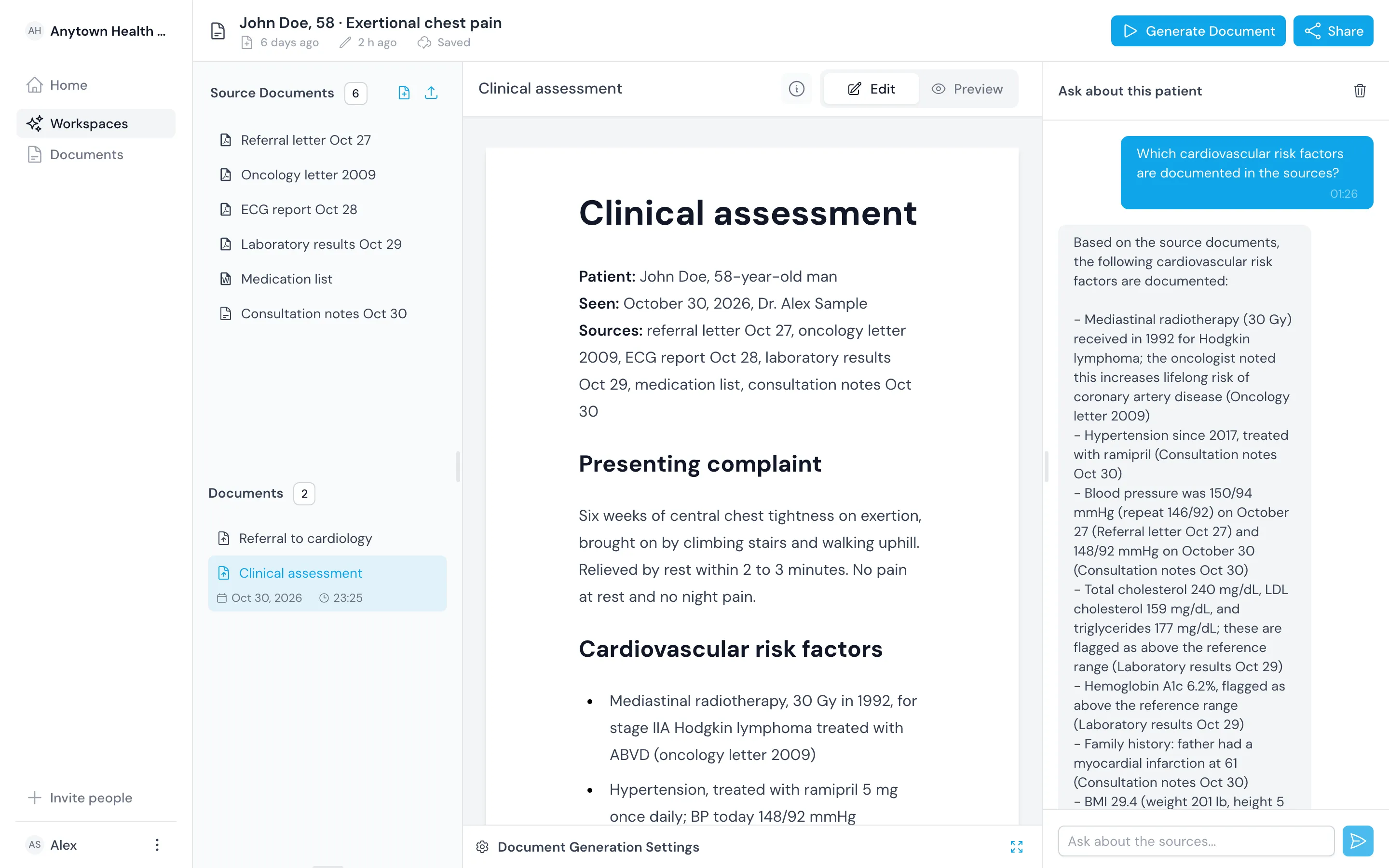
Answer the cardiology referral from the record
The practice refers John Doe, 58, with six weeks of exertional chest pain and asks about chronic coronary syndrome.
Find the question
Ask what the referral wants answered, and see the referral letter named as the source.
Check the baseline
Ask for his ECG and troponin, and see sinus rhythm without ST changes and hs-troponin T 6 ng/L, each with its source.
Reply in your structure
Draft the clinic letter from your template, then add your examination findings and the plan you decide on.

Questions
Frequently asked questions
Can I use my clinic's letter template?
Yes. Save the structure as a template and draft every clinic letter from it.
Does it read imaging?
It reads the imaging reports you upload as PDF or Word files. It does not open the imaging studies themselves.
Can my resident draft and I review?
Yes. Share the workspace with editor access. Your resident drafts, and you edit the same document.