Patient workspace
One workspace for everything you know about a patient
Upload the referral, previous letters, results and medication list, and add your own notes. You give each patient a workspace of their own, so one person's records never mix with another's.

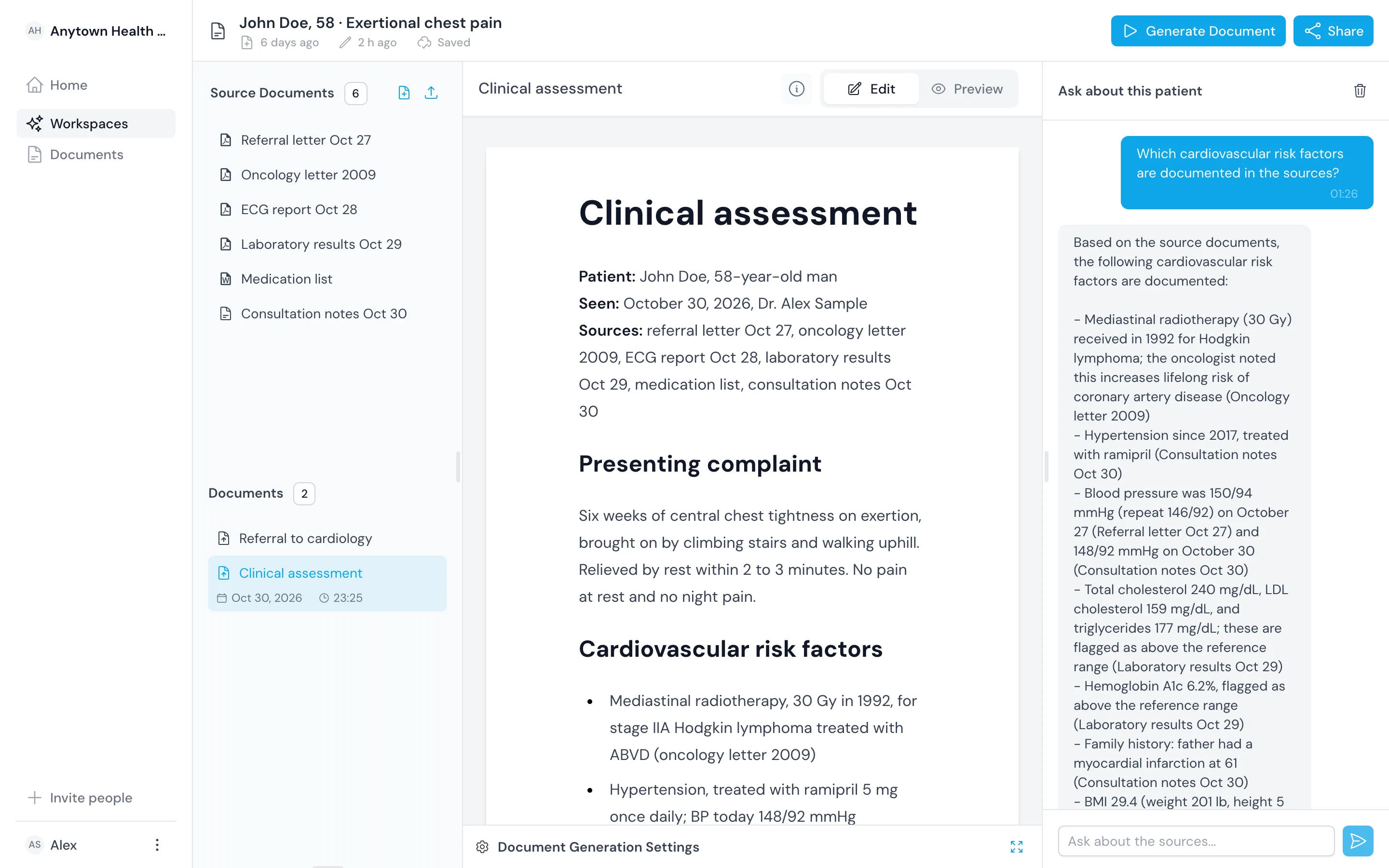
Bring the records the patient arrives with
Most of a workup is reading. Put every document in one place first, then ask and draft from it.
Upload the files you have
Add PDF, Word and Excel files and PNG images, like a scanned referral or an exported ECG report.
Add your own notes
Type or paste visit notes as text, next to the documents they discuss.
Name the workspace clearly
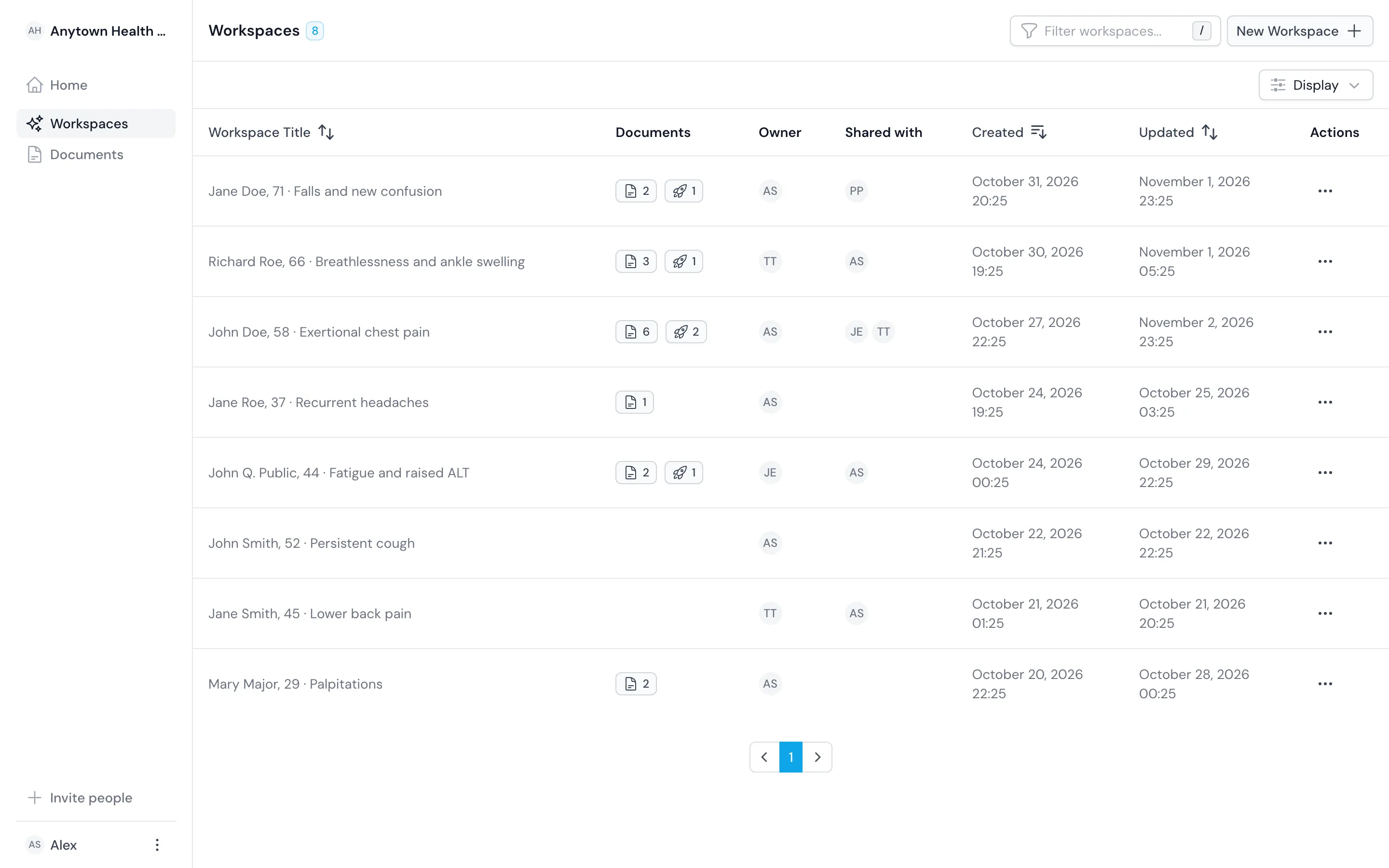
Title each workspace with the patient and the problem, like John Doe, 58, exertional chest pain.

Built in
Keep each patient's record apart
Each workspace holds one patient, and you keep questions, drafts and sharing inside it.
Keep one patient per workspace
Keep sources, questions and drafts in one workspace, so an answer never draws on another patient's records.
Share one workspace at a time
Share one patient's workspace with a colleague as viewer or editor without sharing anything else.
We check access on every request
We check every request against the workspace's sharing on the server, so the interface is never the only guard.
Outcomes
What you gain when the record is in one place
You read each document once
Open the referral, the last discharge summary and this week's labs together instead of in separate folders and inboxes.
You give colleagues the same sources
Share the workspace and a colleague sees the documents you saw, not your summary of them.
You pick up follow-up where you stopped
Add the new results to the same workspace at the next visit and ask what they show.
Comparison
Keep the records in one workspace instead of five places
| Topic | Before | With the register |
|---|---|---|
| Where the records sit | Referral in the inbox, results in the lab system, notes on paper | One workspace per patient with every source in it |
| Formats | Scans and printouts you open one at a time | PDF, Word, Excel and image files in one list |
| Sharing with a colleague | Forwarded attachments | The workspace, shared as viewer or editor |
| Your own notes | Kept apart from the documents they discuss | Stored as text beside the sources |
Related
Use it with the rest of the product
Questions
Frequently asked questions
Which file types can I upload?
PDF, Word and Excel files and PNG images. Type or paste visit notes into the workspace as text.
Does it connect to our electronic health record?
No. It does not integrate with a record system today. Upload the documents you export from it, and export finished drafts back as PDF or Word.
Should I add identifiable patient data?
Only after your organization has the data processing agreement for your jurisdiction in place. Until then, use de-identified records.