Assess each patient from all of their records
Bring the referral, previous letters, results and your own notes into one workspace per patient. Ask questions and get answers from those sources, with each source named. Workup Desk drafts the assessment and letters, and you review and edit them.
Early access is by invitation. We email a confirmation, then your invite, as the privacy policy describes. Already in? Log in.

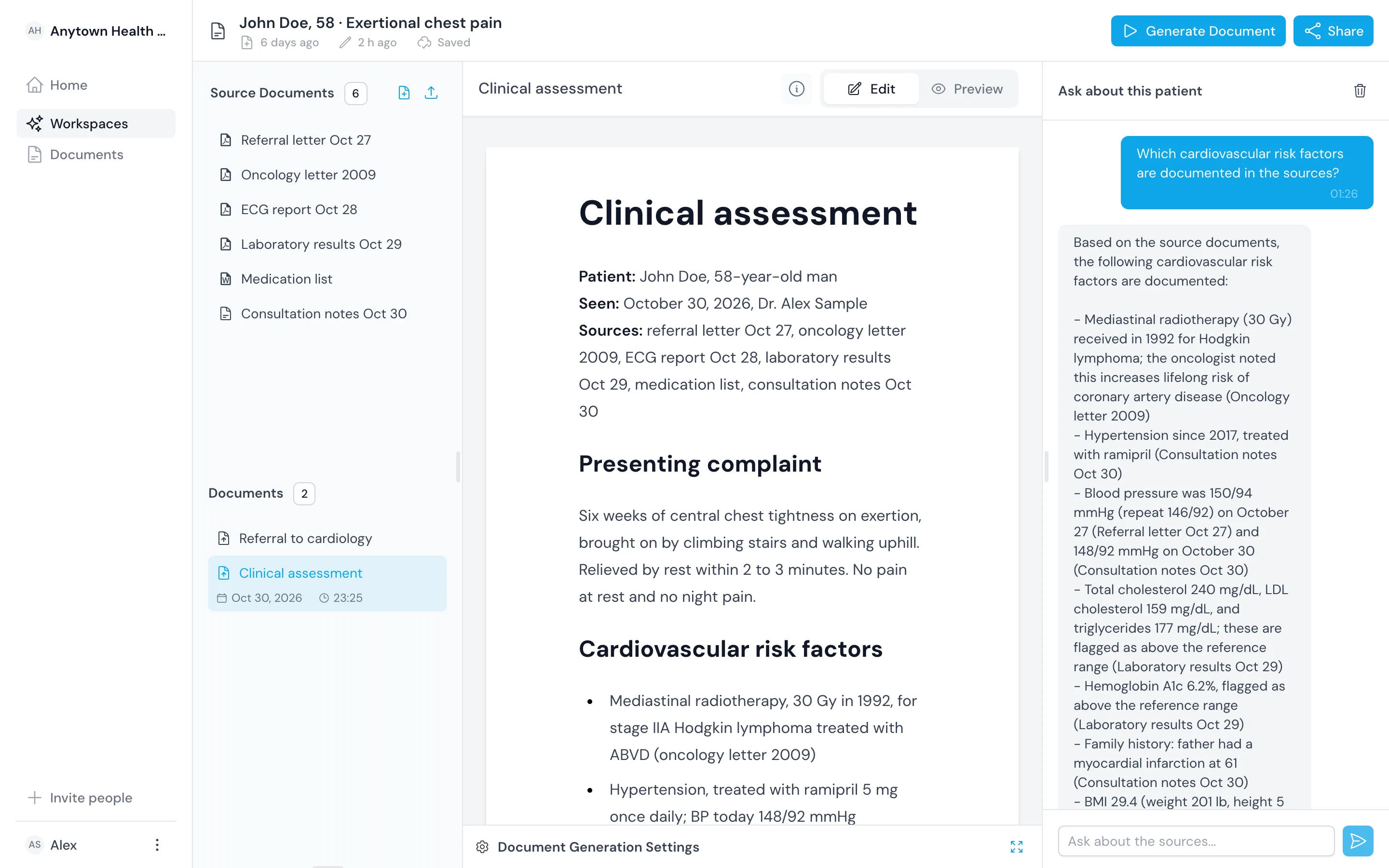
Bring the records your patient arrives with
- Referral letters
- Discharge summaries
- Lab results
- ECG reports
- Imaging reports
- Medication lists
- Visit notes
Why Workup Desk
Work from the whole record instead of from memory
A patient's history is spread across referral letters, discharge summaries, results and your own notes. Bring it into one workspace, and every answer and draft starts from there.

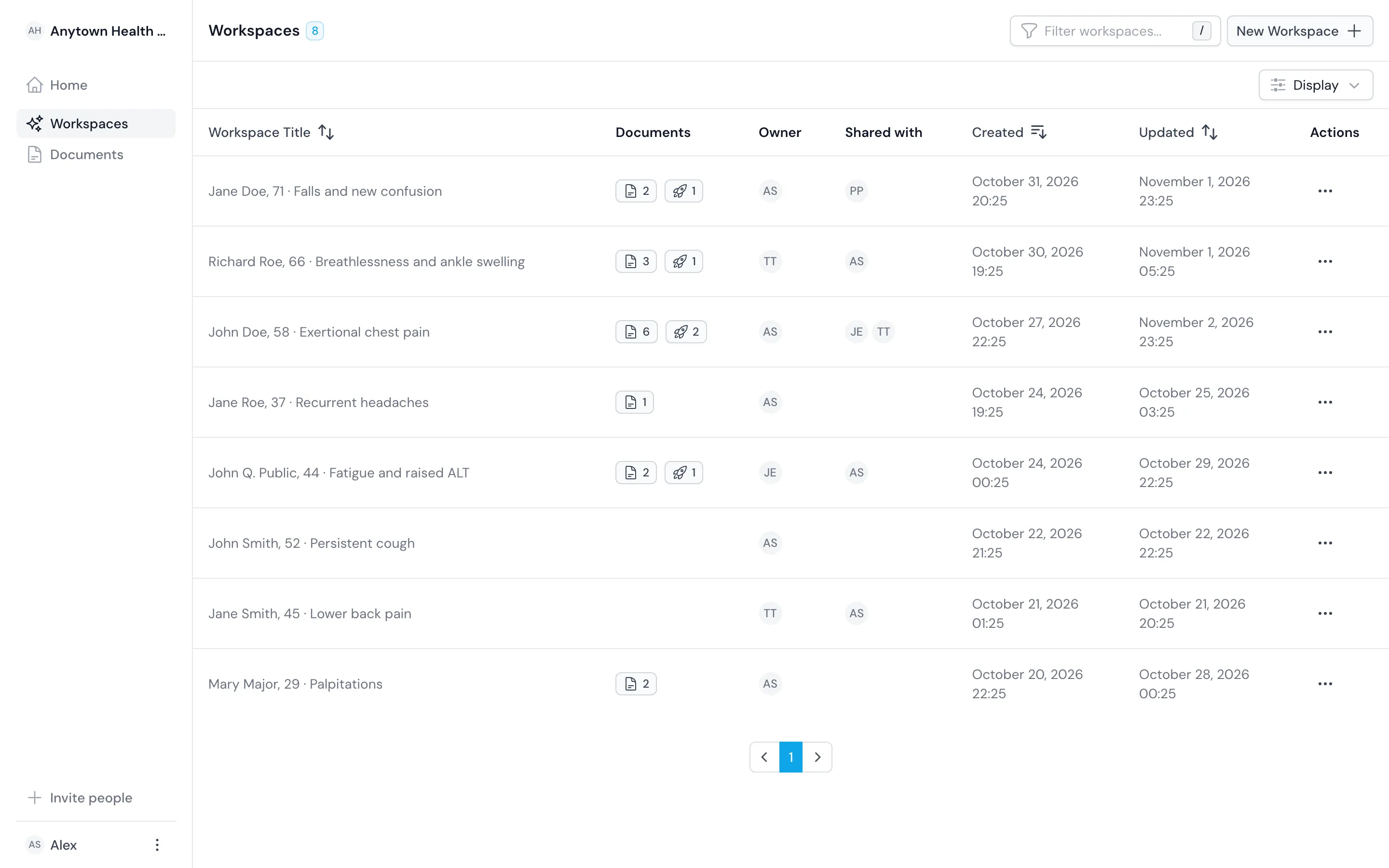
Keep one patient in one workspace
Each patient gets a workspace of their own, so sources, questions and drafts never mix between people.

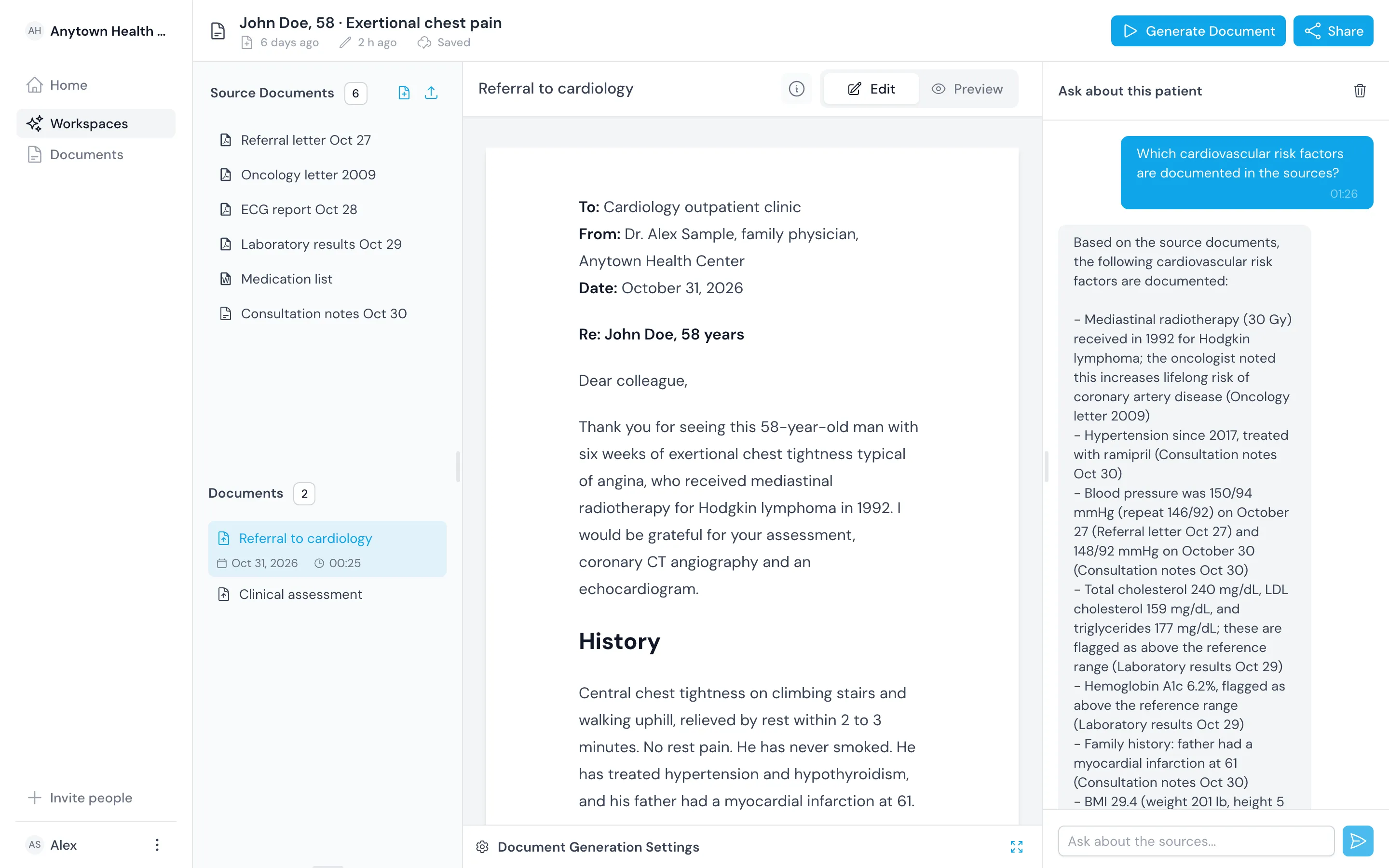
Draft the documents you file
Draft the assessment, the referral and the handover from the sources in a structure you set. Review and edit each draft, then export it.

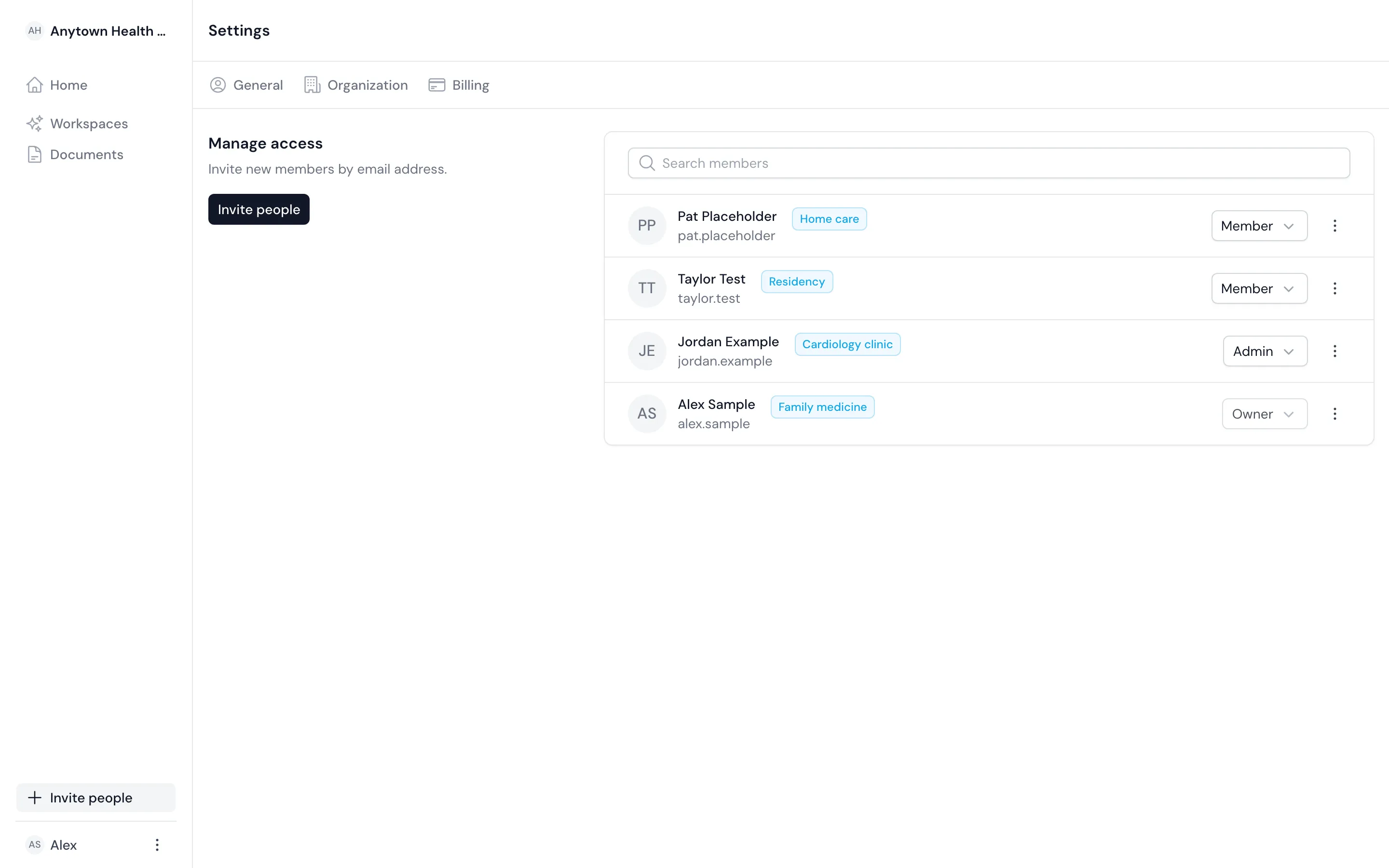
Share a patient inside your organization
Invite colleagues to one account with roles, and share each patient's workspace as viewer or editor.
Product
Take a patient from referral to finished letter in one product
Every area reads the same workspace, so the facts you check in the chat are the sources the draft works from.
Patient workspace
Upload PDF, Word, Excel and image files and add your notes. One workspace holds one patient.
Assessment drafting
Draft history, findings, assessment, differential diagnosis and plan, then review and edit the draft.
Ask the record
Ask a question and get an answer from the patient's sources, with the source named.
Letters and summaries
Draft referral letters, discharge and handover summaries, and summaries the patient can read.
Team and sharing
Run one account for the practice with roles, and share each patient as viewer or editor.
Export and hand off
Download any document as PDF or Word and file it in the patient's record.
Ask
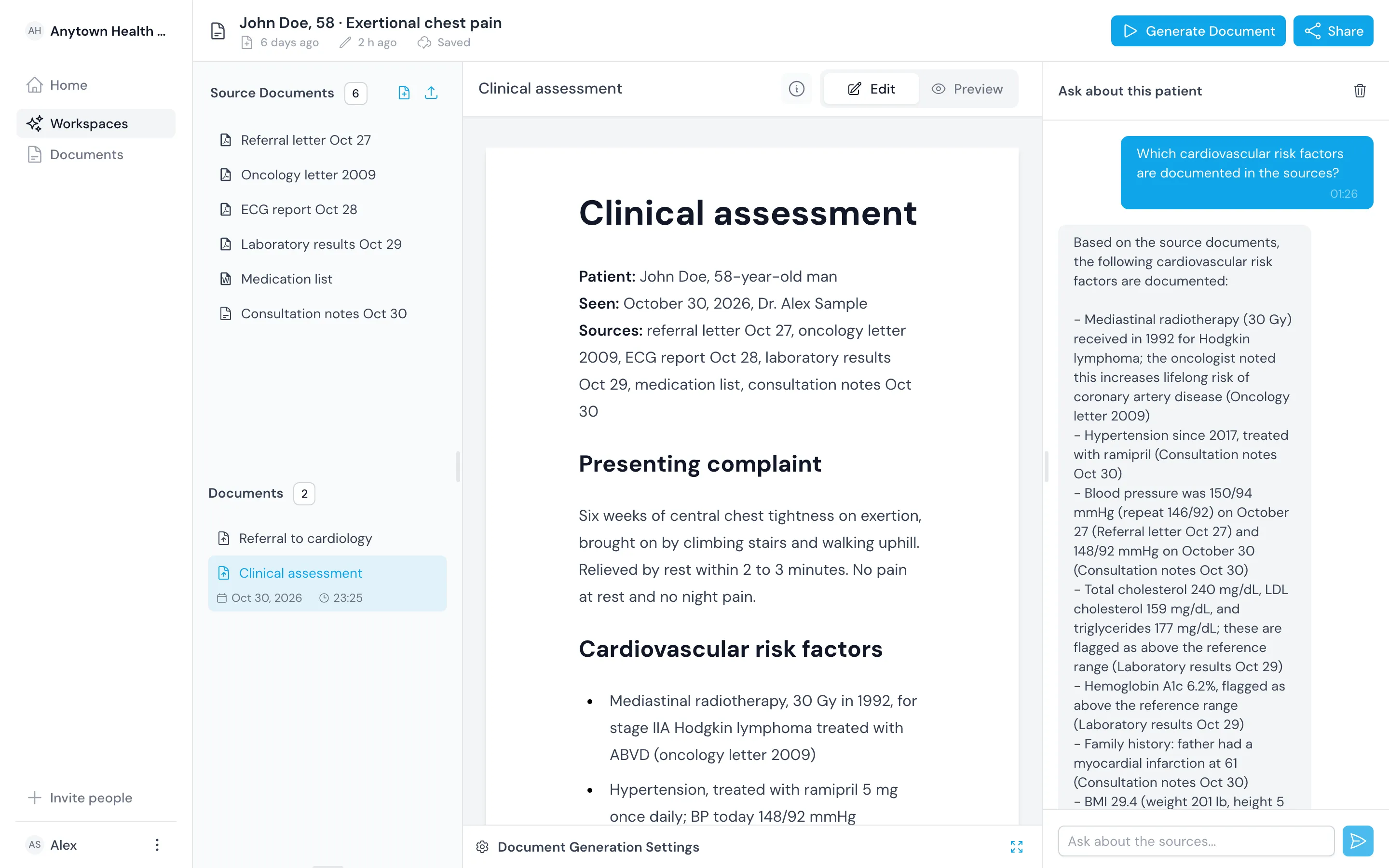
Ask the record and check the source
Type the question you would ask a colleague who had read the whole file. You get an answer from the workspace sources, with each source named.
Find a value
Ask for the last LDL or when ramipril was started, without paging through letters.
Gather across documents
Ask which cardiovascular risk factors are documented and get one list from every source, old letters included.
Open the source
Check the named document before you rely on an answer.

Draft
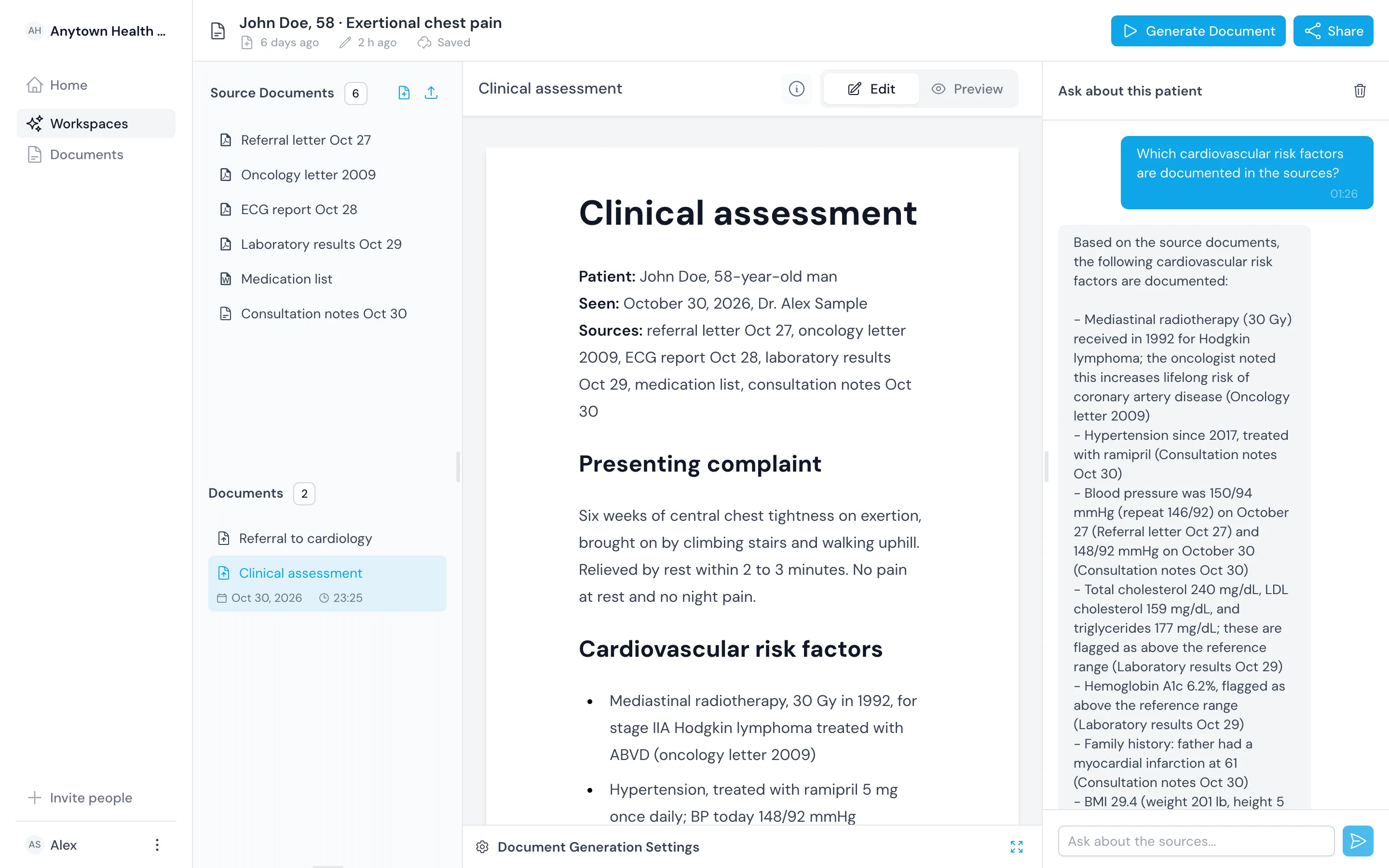
Draft the assessment, then edit it
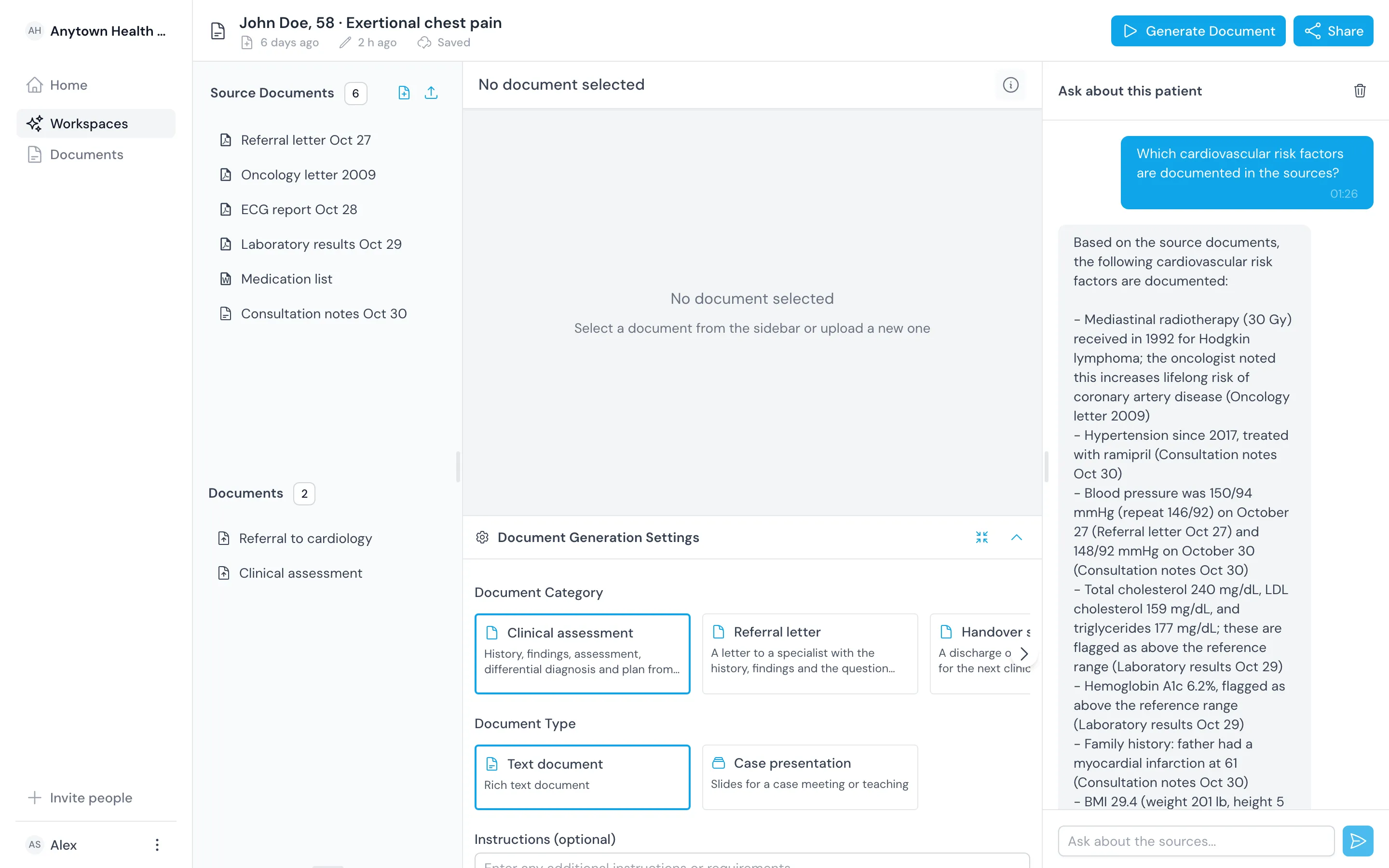
Choose the document type, audience and length, add your instructions and start the draft. It streams into a rich-text editor that saves as you type.
Start from a structure
Get history, findings, assessment, differential diagnosis and plan, or the sections your template sets.
Edit in the editor
Change the text, headings, lists and tables. The editor saves as you type.
Decide as the doctor
You choose the working diagnosis and the plan, and you sign off the document.

Roles
Give each doctor the workspace their setting needs
Primary care, outpatient clinics and hospital wards bring different records and need different letters.
 Short visits forPrimary care physiciansRead the history and draft the referral within a short visit.
 Thick referrals forSpecialistsFind the referrer's question and reply in your clinic's structure.
 Admissions and discharges forHospital doctorsDraft handovers and discharge summaries from the whole admission.
Security
Keep patient records inside your organization's account
Patient records are some of the most sensitive data there is. The server checks every request against the workspace's sharing, so the interface is never the only guard.
Ways in
Start with the records you already have
Nothing needs a connection to your record system. Bring the documents, your notes and the letters you need to write.

Upload the sources
Add the referral, letters, results and medication list as PDF, Word, Excel or image files.

Write or paste your visit notes
Add what you found in the visit as text, next to the documents it refers to.

Draft letters from the record
Draft the referral, the handover or a summary for the patient from the same sources.
In numbers
See how the product works in four numbers
These figures describe how the product works. They are not customer counts or outcome claims.
- Clinical documents you can draft
- Clinical assessments, referral letters, handover summaries, patient summaries and structured visit notes, each drafted from the patient's sources and edited by you.
- 5
- Source file formats you can upload
- PDF, Word, Excel and PNG images, such as referral letters, lab and ECG reports. Add your visit notes as text beside them.
- 4
- Settings you choose before a draft
- Document type, purpose, audience, tone, length and your own instructions. Save them as a template to reuse them.
- 6
- Export formats for a finished document
- PDF and Word, to file the document in the patient's record or send it on.
- 2
Questions
Frequently asked questions
What is this, in one sentence?
A workspace where you bring one patient's referral, results and notes together, ask questions answered from those records and draft the assessment and letters you then edit.
Does it diagnose?
No. It answers questions from the sources you add and drafts documents for you to edit. It does not diagnose or recommend treatment on its own. You make every clinical decision and you are responsible for every document you file.
Which records can it read?
PDF, Word and Excel files and PNG images, such as referral letters, discharge summaries, laboratory and ECG reports, imaging reports and medication lists. You can also add your visit notes as text.
How is it different from Gemini Notebook or NotebookLM?
Gemini Notebook, formerly NotebookLM, answers from the sources you put in a notebook, and that idea works well. We apply it to one patient per workspace. You draft an assessment, a referral or a handover instead of study material, inside an organization account with roles and per-patient sharing. Gemini Notebook is free for many people and makes many more kinds of output.
Where is patient data kept, and who can see it?
In your organization's account. The server checks every request against the workspace's sharing, so only the colleagues you share a patient with, as viewer or editor, can open it. We do not sell patient data or share it with other customers.
Can I add identifiable patient data during early access?
Only once your organization has the data processing agreement for your jurisdiction in place. Until then, work with de-identified records. Write to us when your invite arrives and we will arrange the agreement with you.
How do I get access?
Join the waitlist with your work email. We invite doctors in small groups while early access runs, and the invite arrives at the same address. Colleagues you invite to your account later do not need the waitlist.
What does it cost?
Early access is by invitation. After that, organizations pay for a plan billed through Stripe. The pricing page lists what each plan includes.