Assessment drafting
Draft the assessment from the patient's records and edit it
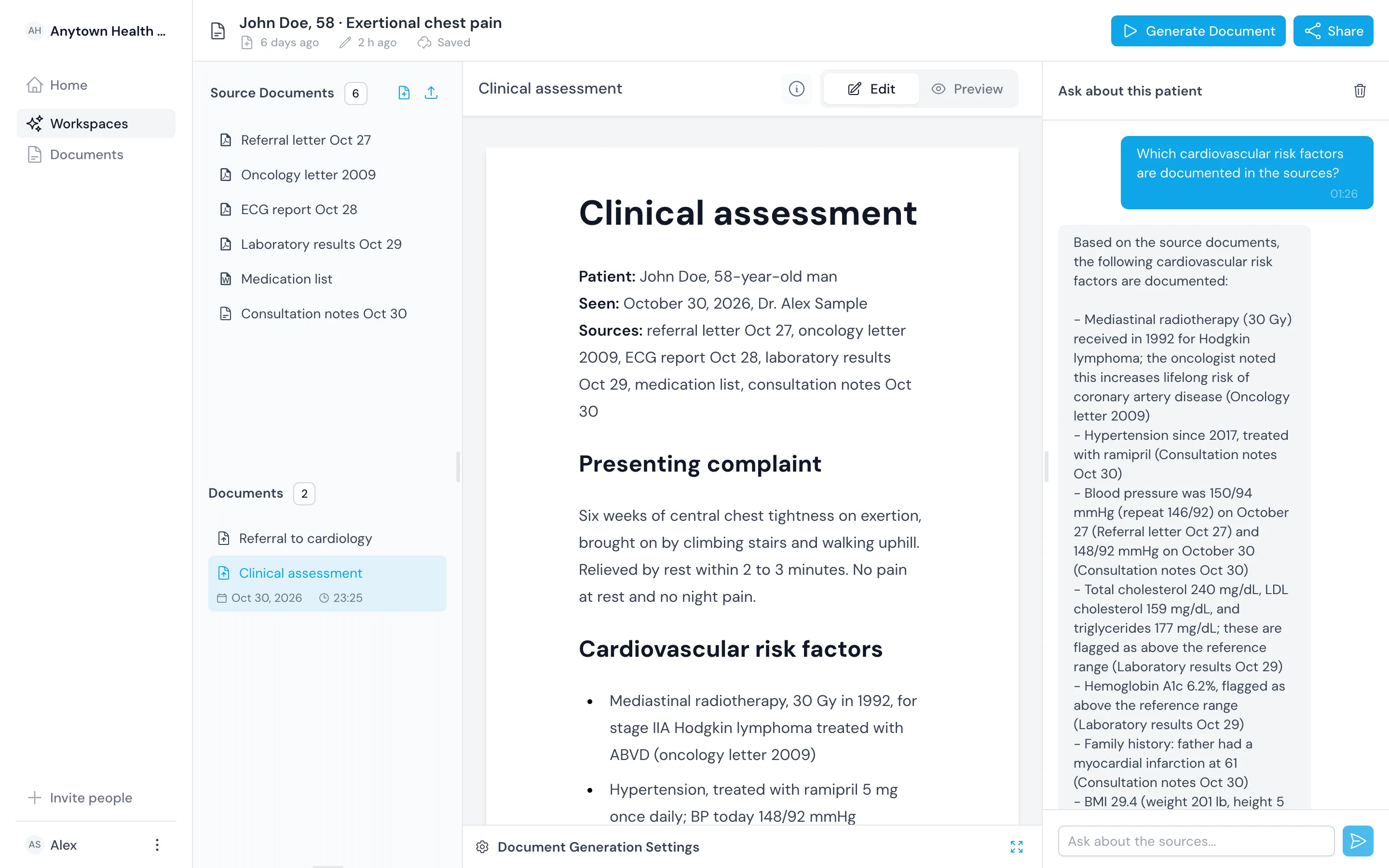
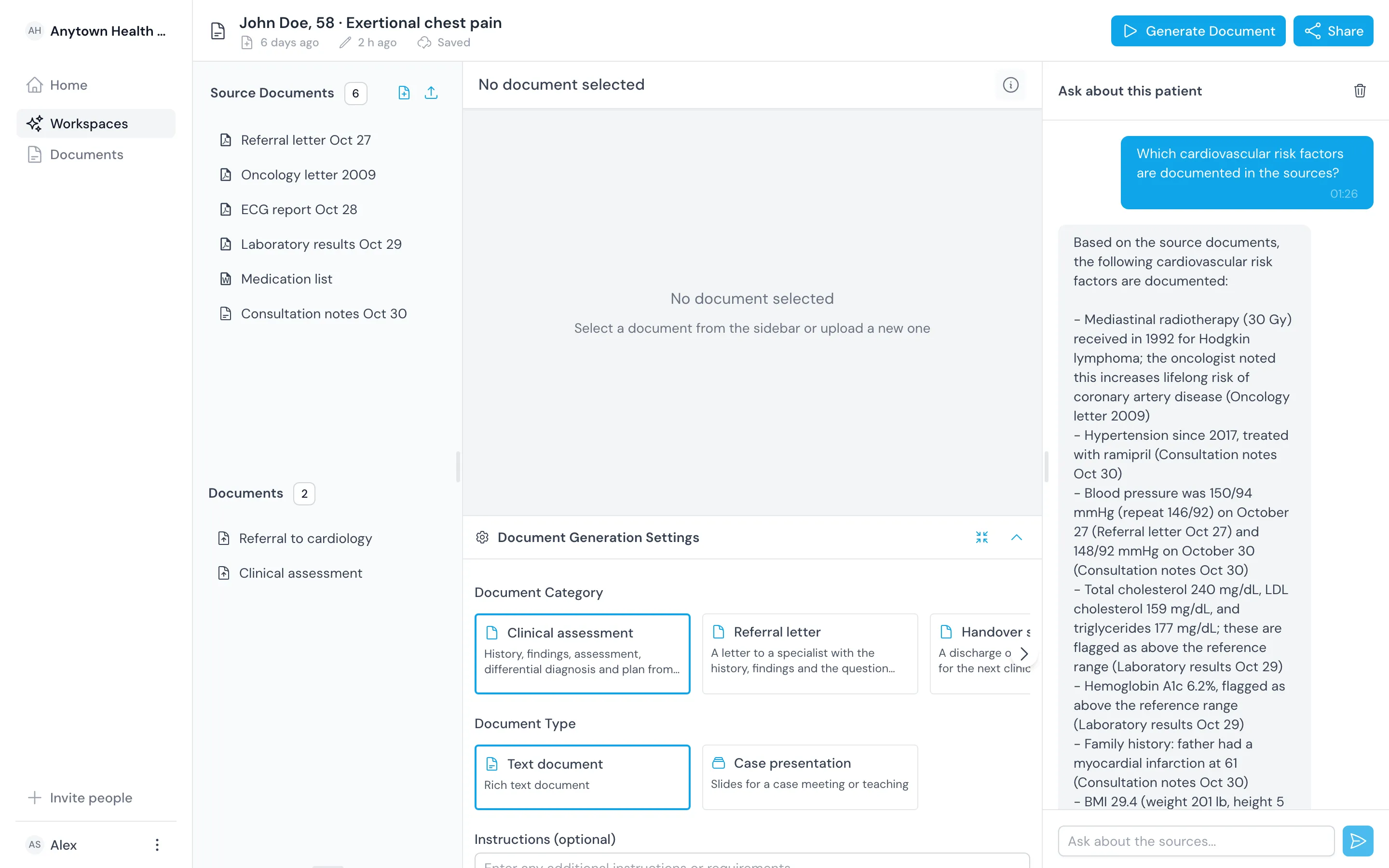
Choose the document type and audience, add any instructions and start the draft. It streams into the editor with history, findings, assessment, differential diagnosis and plan, and you change whatever needs changing.

Set up the draft the way you write
Pick the settings before you draft. Save them as a template when you want the same structure every time.
Document type and purpose
Choose a clinical assessment and say what it is for, like a first cardiology review.
Audience, tone and length
Write for a colleague, a ward team or the patient, at the length the reader needs.
Your own instructions
Add free-text instructions, such as listing differentials in order of likelihood with the findings for each.

Built in
Keep the doctor in charge of the document
The draft is a starting point. You edit it, and you decide what it says.
Edit in a rich-text editor
Edit headings, lists and tables directly. The editor saves your changes as you type.
Draft from this patient's sources
We draft from the documents and notes in this workspace, not from another patient's record.
Save templates
Save a structure your department agreed on and draft from it every time.
Outcomes
What you gain when you start from a draft
You start from a structure
You get history, findings, assessment, differential and plan laid out before you write a word.
You spend your time on the reasoning
Spend the visit on what the findings mean instead of retyping what the referral said.
You keep assessments consistent across the team
Share a template and every assessment in the department gets the same sections in the same order.
Comparison
Start the assessment from a draft instead of a blank page
| Topic | Before | With the register |
|---|---|---|
| Starting point | A blank page and a stack of letters | A draft built from the workspace sources |
| Structure | Whatever the author remembered | The sections your template sets |
| Editing | Copying and pasting between documents | One rich-text editor with autosave |
| Responsibility | The doctor's | You stay responsible for the document |
Related
Use it with the rest of the product
Questions
Frequently asked questions
Does it make the diagnosis?
No. The draft includes a differential diagnosis section for you to check, reorder or rewrite. You decide the working diagnosis and the plan.
Can I change the structure?
Yes. Set the document type, purpose, audience, tone, length and instructions for each draft, or save them as a template.
Does anything go into the patient record automatically?
No. Nothing leaves the workspace until you export it as PDF or Word and file it yourself.